 TridentSense
Every game you own, wherever it lives.
Installed, owned but not installed, streamed from the cloud, on your console or on another PC in the house: TridentSense puts them in one library, with Steam's details on every one, and starts any of them from the controller.
Every library you own, one chord away.
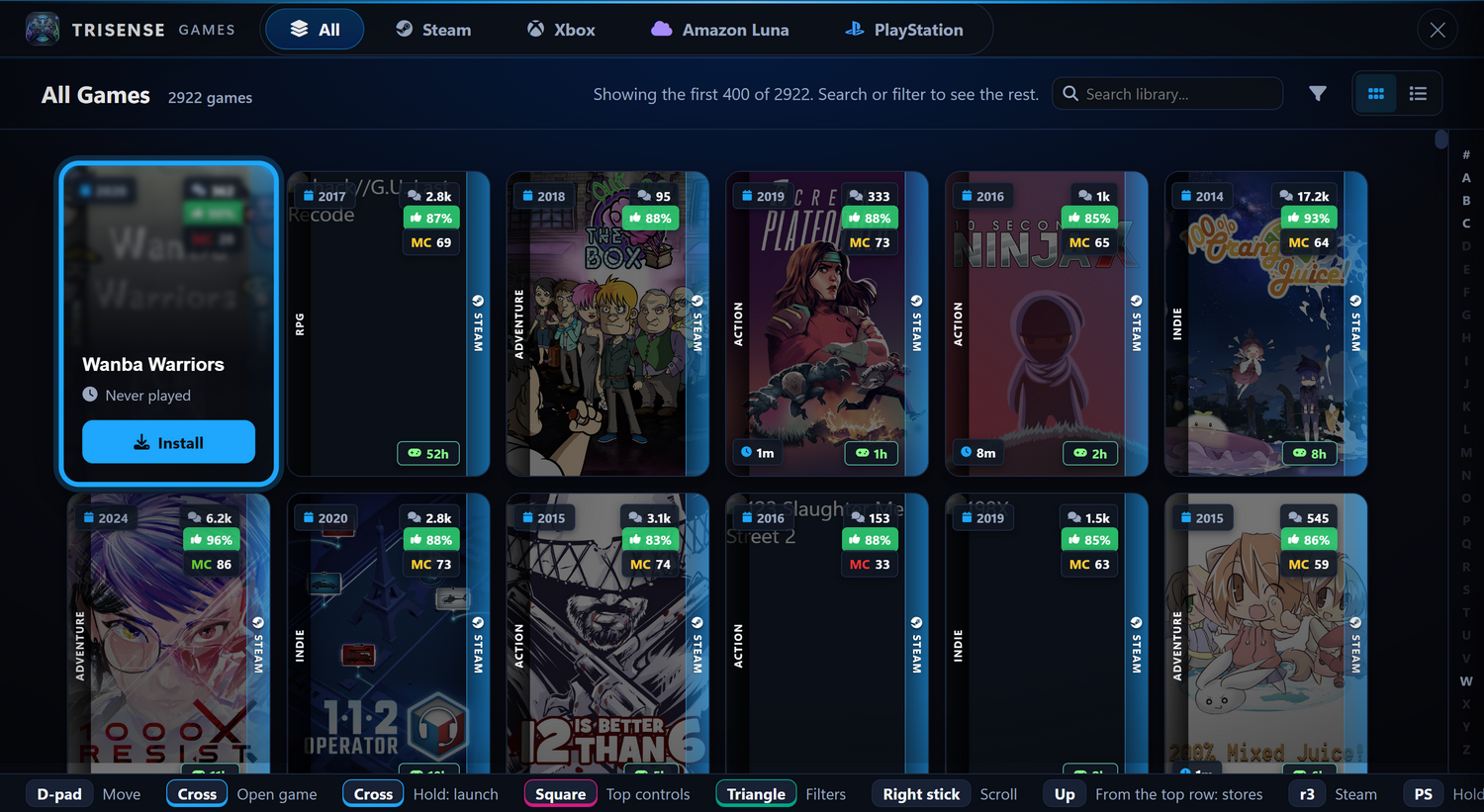
Hold the middle button and press Square, and your games slide up over whatever is on screen: full width, driven entirely by the controller, and gone again the moment you start one. Not only Steam: every store has a tab, and All puts them together.
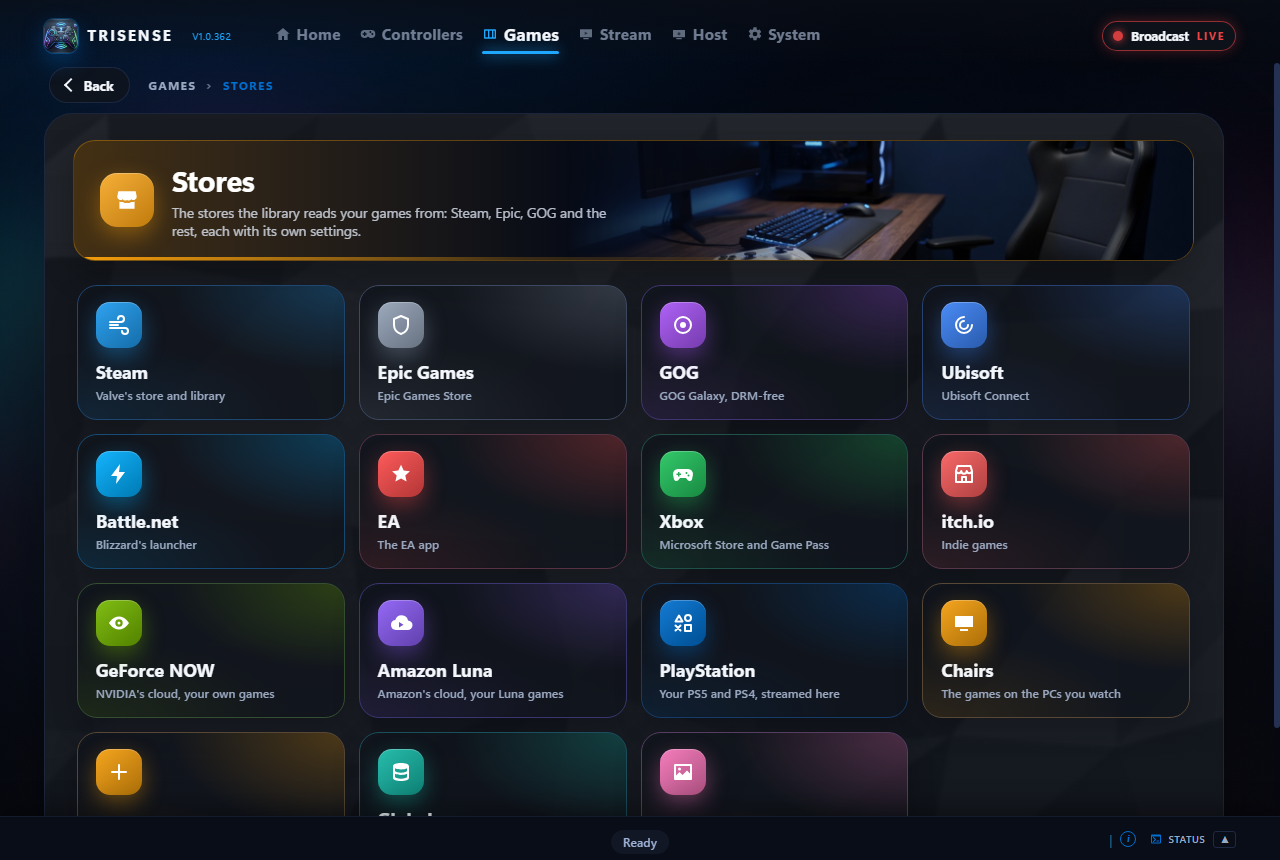
- Steam, Epic Games, GOG, Xbox and Game Pass, Ubisoft, EA, Battle.net, itch.io, GeForce NOW, Amazon Luna, PlayStation, Moonlight, the games on your other PCs, and folders of your own
- A game you have in several places is one card: a strip down its side shows every store it is in, and its page lists each way to play it, installed or streamed
- The same search, filters, grid or list and A to Z bar on every tab: installed, streamable, store, genre, tags, controller support, VR, Metacritic, rating, release year, size and how long a game takes to beat
- Steam's details, scores, playtimes and How Long to Beat on every store's games, not only Steam's
- Games you own but have not installed are listed too, and can be installed from the controller
- Folders, quick move and multi-select for a big Steam library; trailers, screenshots and details for every game
Each store, set up once, kept up to date.
TridentSense finds each store's launcher by itself and reads what it has installed. Cover art, scores, tags and playtimes are looked up once and kept on your PC, with a page for each store that shows how far along it is.
- A Settings and a Cache tab for every store, with a Refresh for each kind of data, cover art included
- Sign in to Epic, GOG or itch.io to list what you own but have not installed
- Cloud gaming too: GeForce NOW and Amazon Luna play in their own app or a signed-in window, and Game Pass games stream with Xbox Cloud Gaming
- Your consoles: stream your own Xbox, or a PlayStation 5 through Remote Play or chiaki-ng, straight from the library
- Chairs: every game installed on your other PCs, a tab for each PC, started there and streamed to you
- Manual: point at folders of your own, and choose which programs in them are games
No more blank tiles.
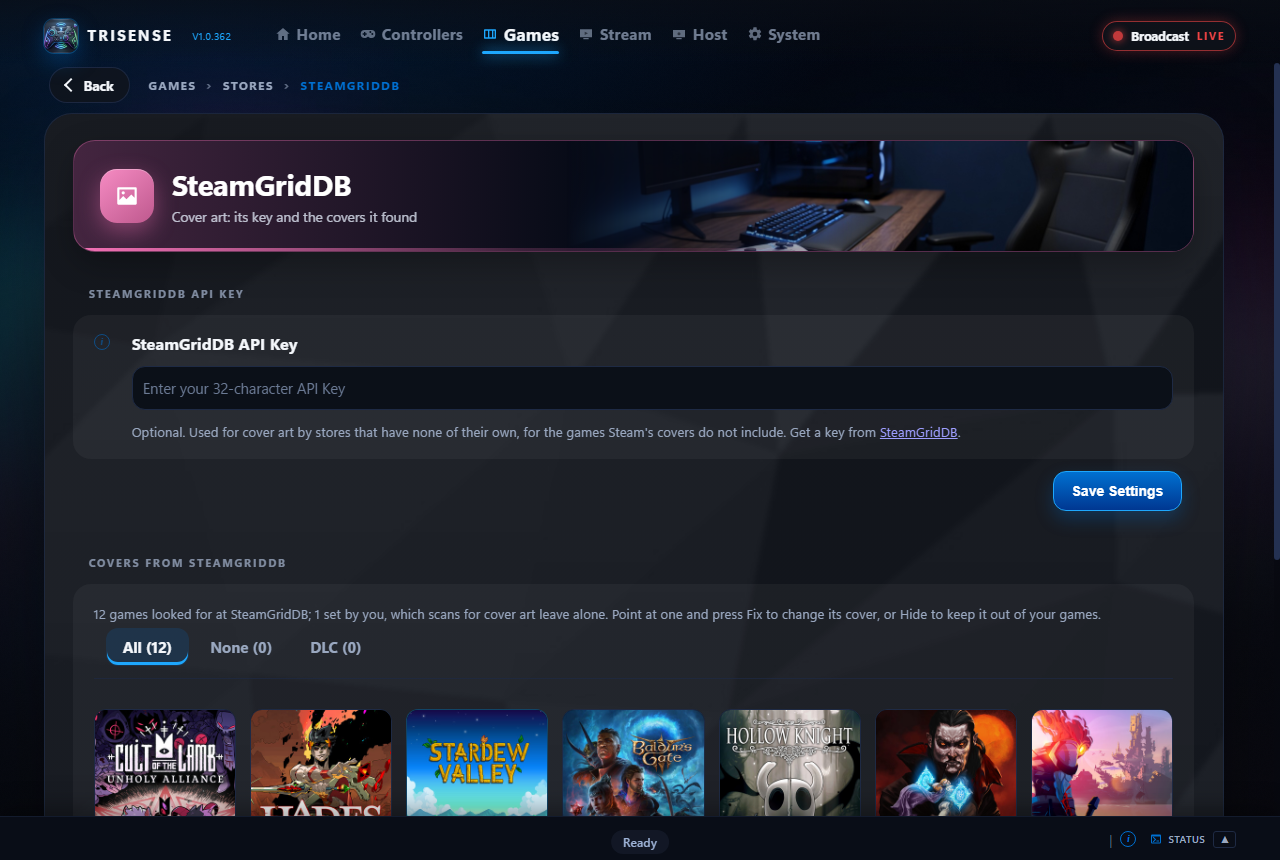
Games Steam has no picture for are looked up at SteamGridDB. When it picks the wrong one, or none, fix it yourself in a few presses.
- Search again under a corrected name and choose from the results
- Use a picture from the web or from your PC, or show the game by its name
- A cover you chose is yours: later scans leave it alone
- Hide a game from the library altogether
New in TridentSense.
DualSense games, marked
Games made for the DualSense's haptics and adaptive triggers carry a badge, and the library can show only those, so you know which games to feel the controller in.
Steam Input, out of the way
One switch turns Steam Input off for a game, so the game hears the controller TridentSense gives it, with every feature, instead of Steam's copy.
Games on your other PCs
Every game installed on your other PCs is in the library, a tab for each: pick one and it starts there, and your stream opens when it is up.
Feel it for yourself.
Try TridentSense's controller page in your browser with your own controller, free, with nothing to install.
Try it now Read the documentation