 TridentSense
Your controller is better than Windows lets it be.
Out of the box, a DualSense on Bluetooth is a plain gamepad on PC: no haptics, no speaker, no adaptive triggers. TridentSense sits between your controllers and your games and gives it all back, then adds what a console never had. Each controller has its own page, and every change takes effect as you make it.
Wireless, with nothing held back
HD haptics, the controller speaker, the headphone jack and the microphone all work over Bluetooth. No cable, no dongle.
Adaptive triggers in every game
Trigger Studio gives L2 and R2 real resistance, clicks and vibration in games that never supported them, with seventeen effects to choose from.
Be any controller a game wants
Each controller can appear to games as a DualSense, DualSense Edge, DualShock 4 or an Xbox controller, whatever it really is.
Remap anything
Send any button to another button, a keyboard key or a mouse click. Build chords and macros. Tune deadzones and stick curves.
Profiles that follow your games
Save a controller's whole set-up as a profile and have TridentSense switch to it when a game starts, then back when it closes.
Batteries that last
An idle timer switches wireless controllers off for you. See battery and signal at a glance, and get a warning before one runs flat.
Feel the game the way it was made.
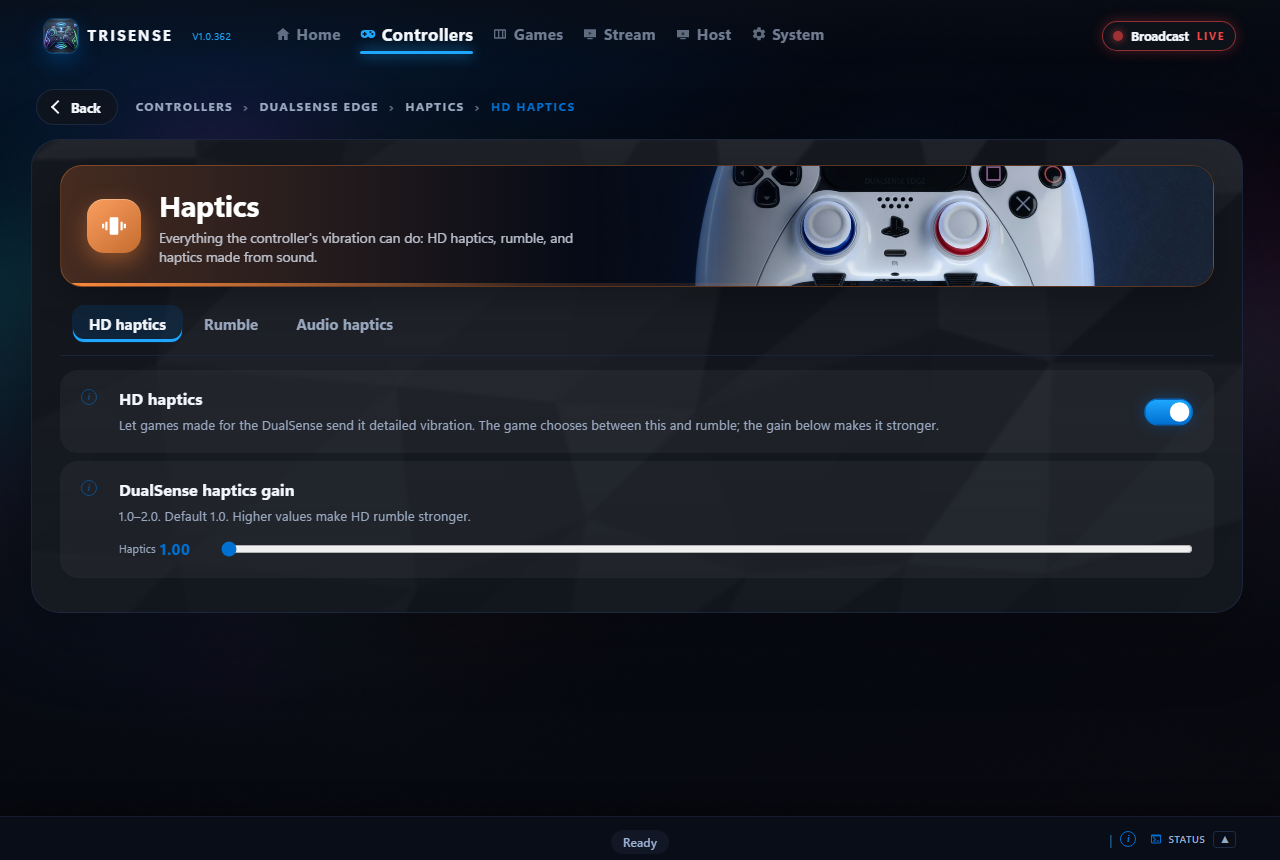
Games built for the DualSense send detailed HD haptics; everything else sends rumble. TridentSense carries both, and lets you shape them.
- HD haptics over Bluetooth, with adjustable strength
- Rumble in two modes: accurate, or twice as strong
- Audio Haptics: feel music and game sound as vibration
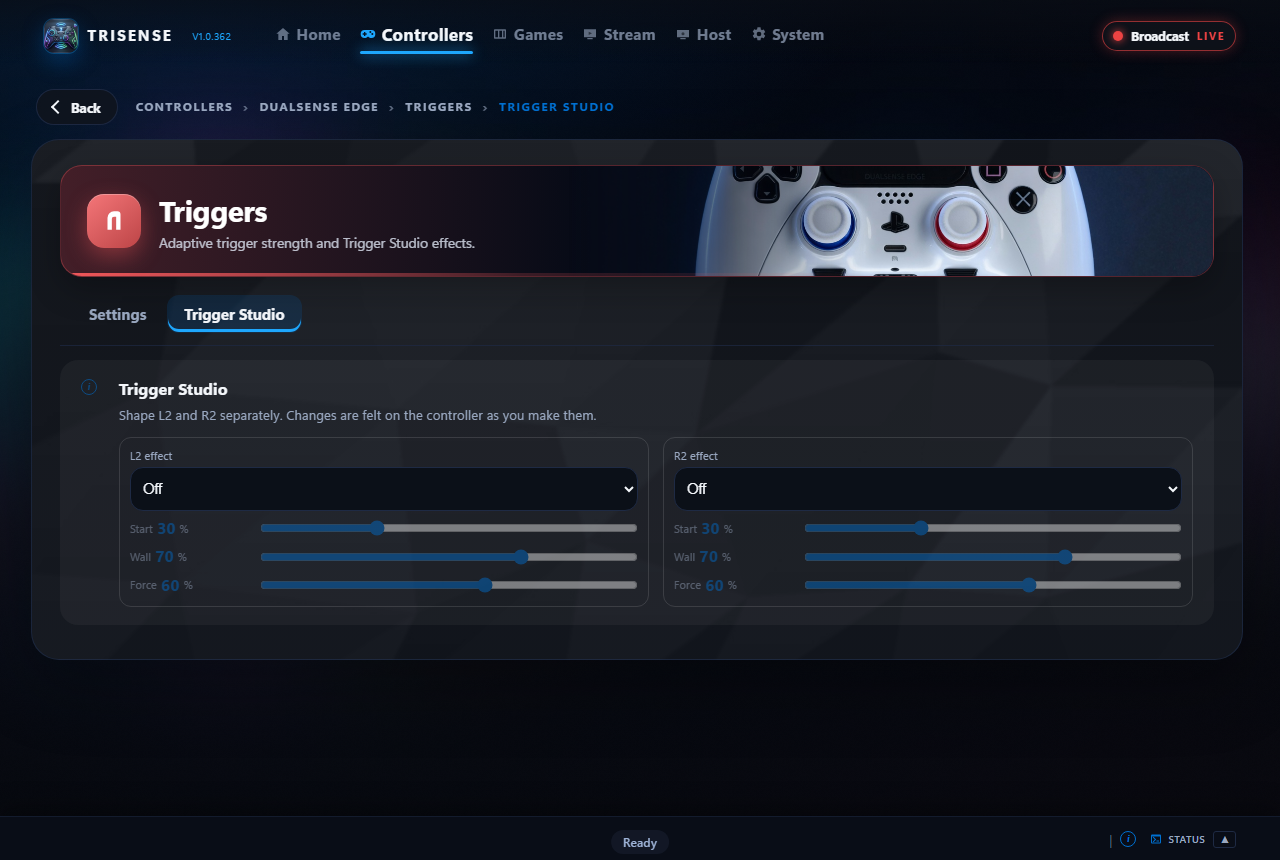
Adaptive triggers, on your terms.
Set L2 and R2 separately and feel the result straight away. Games with their own trigger effects keep them: list those once and TridentSense steps aside while they run.
- Resistance, weapon click, vibration, bow, galloping and machine effects
- Eleven ready-made feels, from very soft to rigid
- Save your favourites as trigger profiles
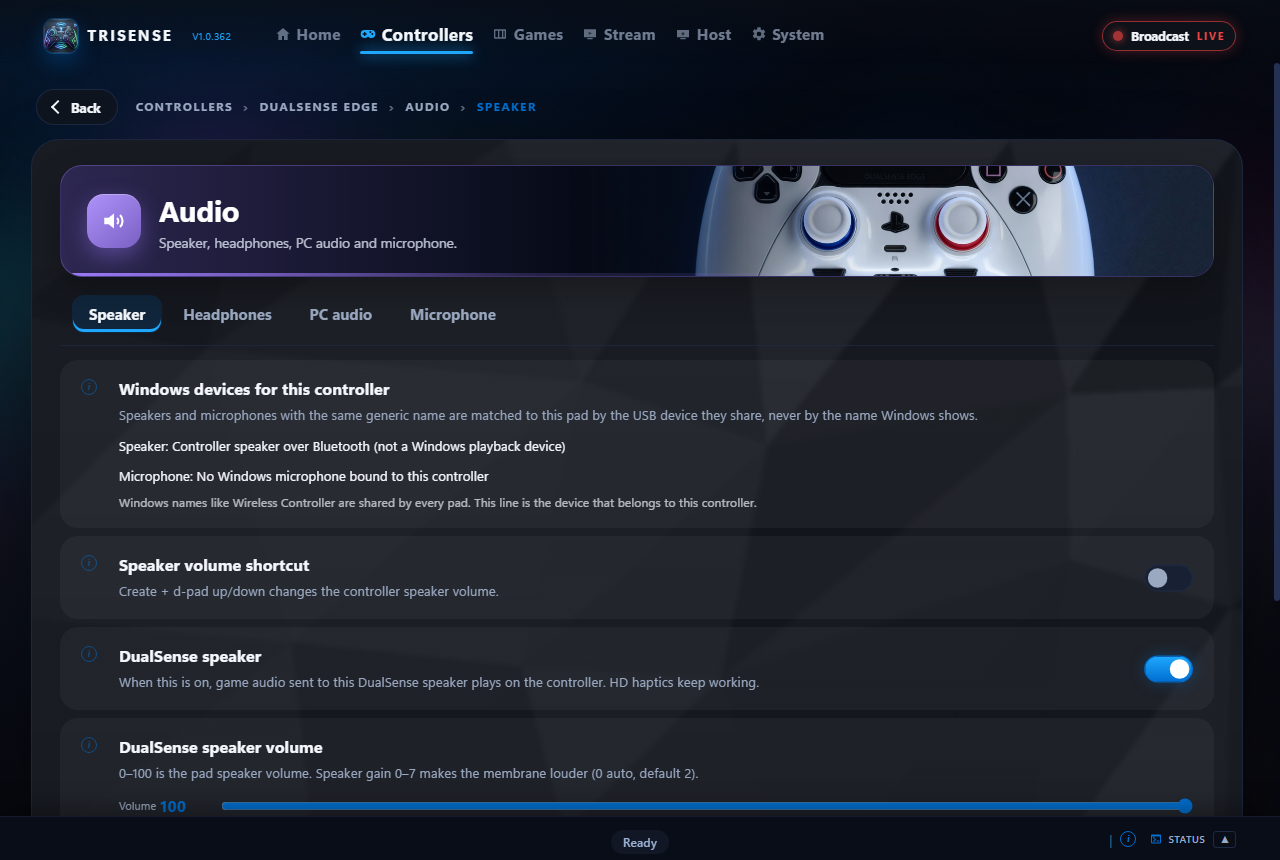
The speaker in your hands, and the headset in your ears.
Use the controller's speaker, headphone jack and microphone wirelessly. Send the PC's own sound to a controller, and shape headphone sound with a built-in equaliser.
- Speaker volume and boost, with a controller shortcut
- Headphone equaliser, volume and mute
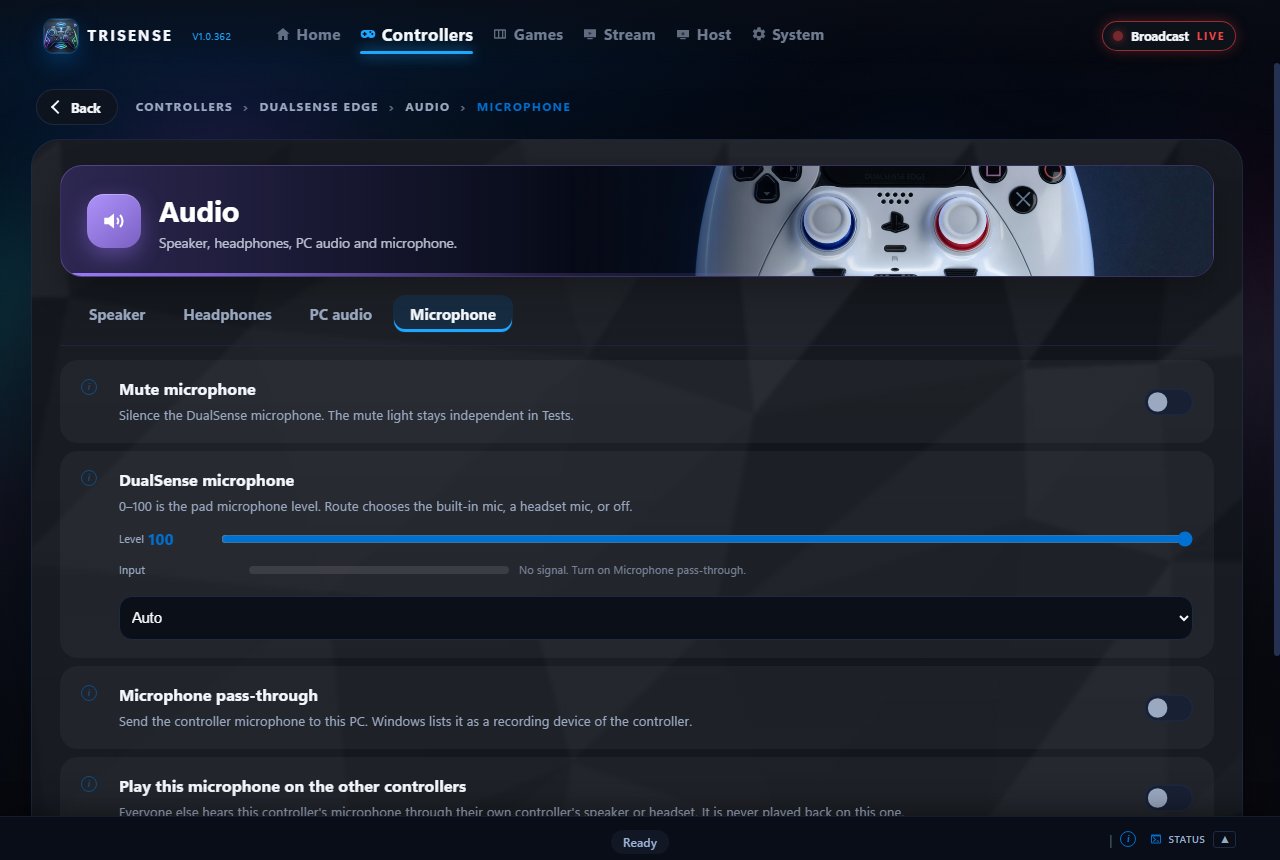
- Microphone pass-through, level and mute button behaviour
- Xbox headsets plugged into the controller are supported too
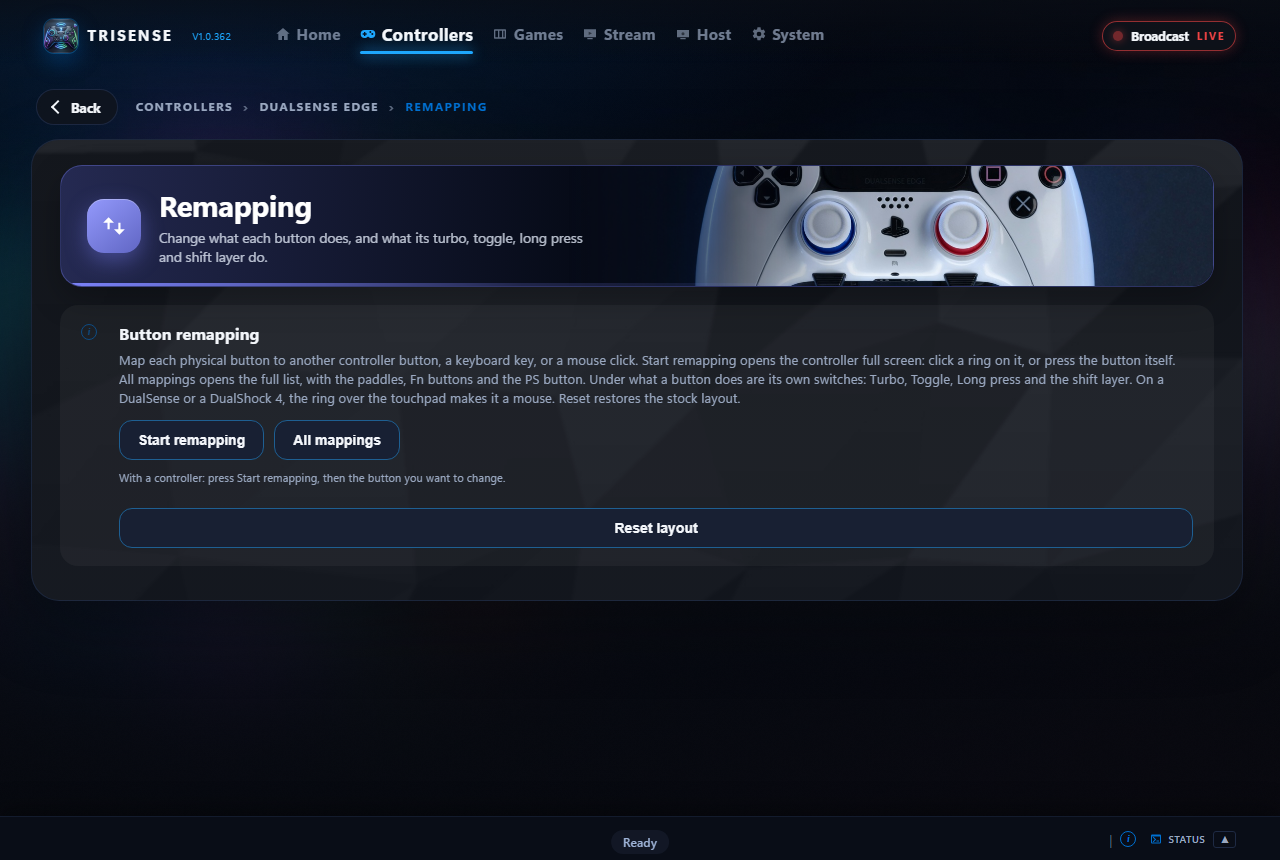
Click a button. Choose what it does.
A picture of your own controller shows every button. Click one and send it somewhere else: another button, a key, a mouse click. Combine buttons into chords for extra actions.
- Controller, keyboard and mouse targets, and several keys at once on one button
- Turbo, toggle and long press for any button, and a shift layer: a second set of buttons while one is held
- A game's controller layouts from the Steam community, brought in as your own remap
- Chords and macros
- Back paddles and Fn buttons on the DualSense Edge
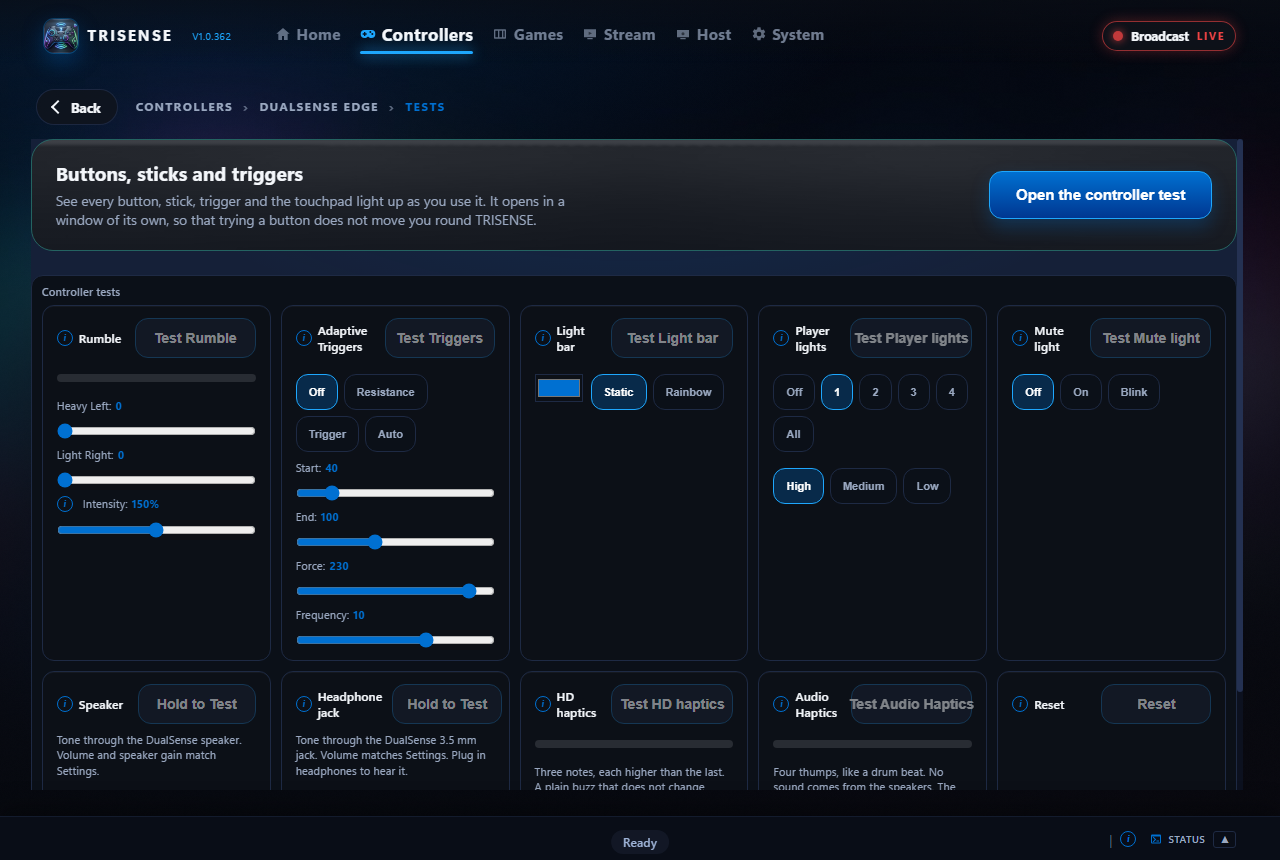
See it. Feel it. Know it works.
The Tests view shows every button, stick, trigger, the touchpad and the gyro live, and lets you fire rumble, triggers, lights and the speaker. The Playground is a small game that exercises all of it at once.
- Live input from the controller itself
- One-click tests for each feature
- Two mini games: a target range and a driving game
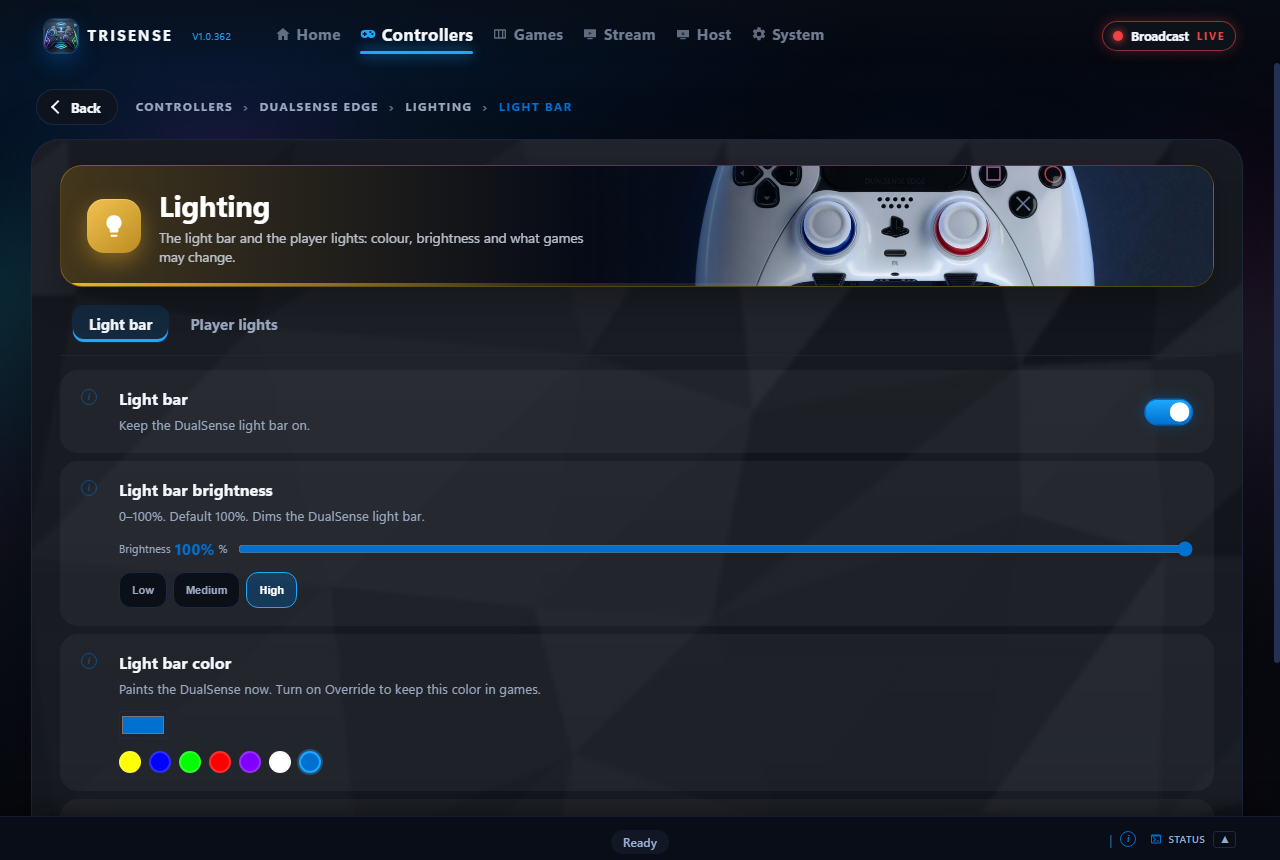
Your colour, and it stays your colour.
Set the light bar's colour and brightness, and decide whether games may change it. Player lights are yours to set too.
- Colour picker and quick colours
- Override so games cannot repaint it
- Restored automatically after a reconnect
One PC. Every controller hears it.
Send the PC's sound to as many controllers as you like at the same moment, each through its own speaker or headset. Then let players talk to each other: a controller's microphone can be played on all the others.
- PC audio on every connected controller at once
- A controller's microphone played on all the other controllers, never on its own
- Each speaker, headset and microphone is matched to its own controller, even when they share a name
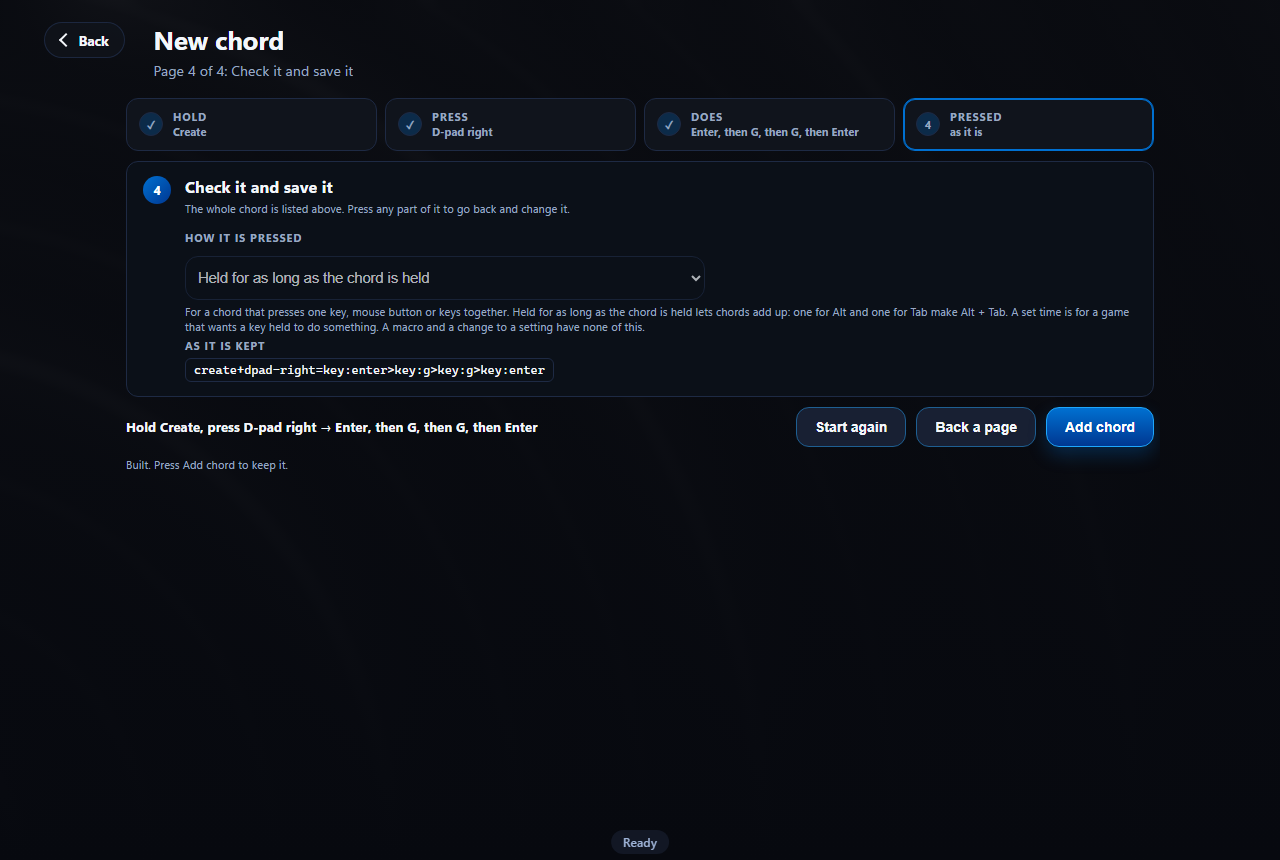
Hold, press, done. Shortcuts you build yourself.
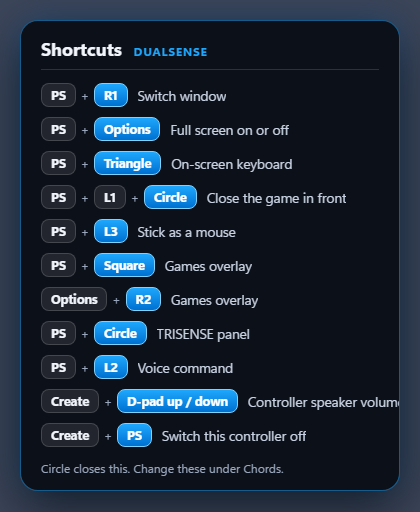
A chord is a few buttons held and one pressed. Build one in three steps, or just press the buttons on the controller and let TridentSense record them. A chord can do almost anything.
- Keys, key combinations like Ctrl + C, mouse clicks and media keys
- Macros: several steps in a row, such as typing "gg" into game chat
- Twenty-two ready-made shortcuts, named for what they do: move the game to another monitor, restart a frozen graphics driver, record the last 30 seconds
- Switch any of this controller's settings on or off, or raise and lower its sliders, with the change shown on screen
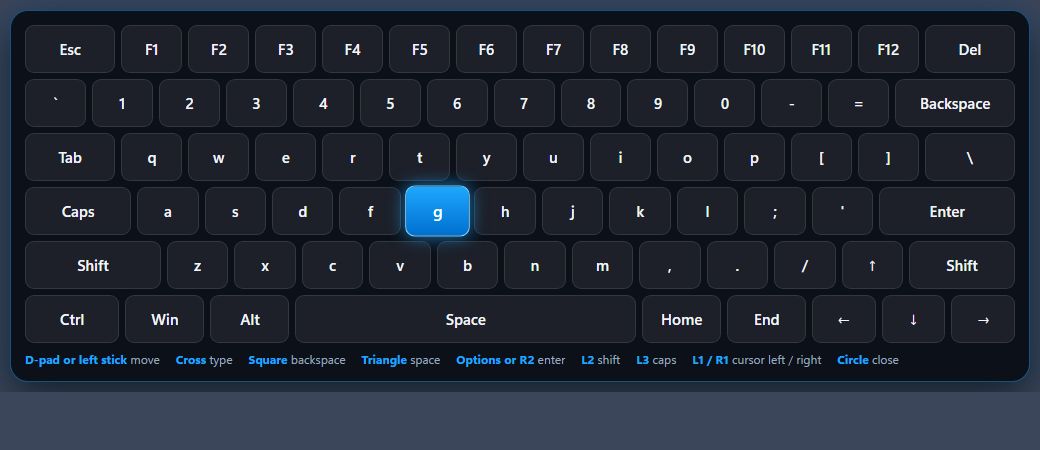
Type, point and click from the sofa.
The moments that make you get up: a launcher asking for a password, an "OK" button no controller can reach, a game that has frozen. TridentSense handles them from the controller, and every controller starts with the chords for them.
- A full on-screen keyboard, driven by the controller, typing into whatever is in front
- Stick as a mouse on any controller: move, click, drag and scroll
- Close the game in front, even one that has stopped answering, after asking first
- Switch window and toggle full screen without leaving your seat
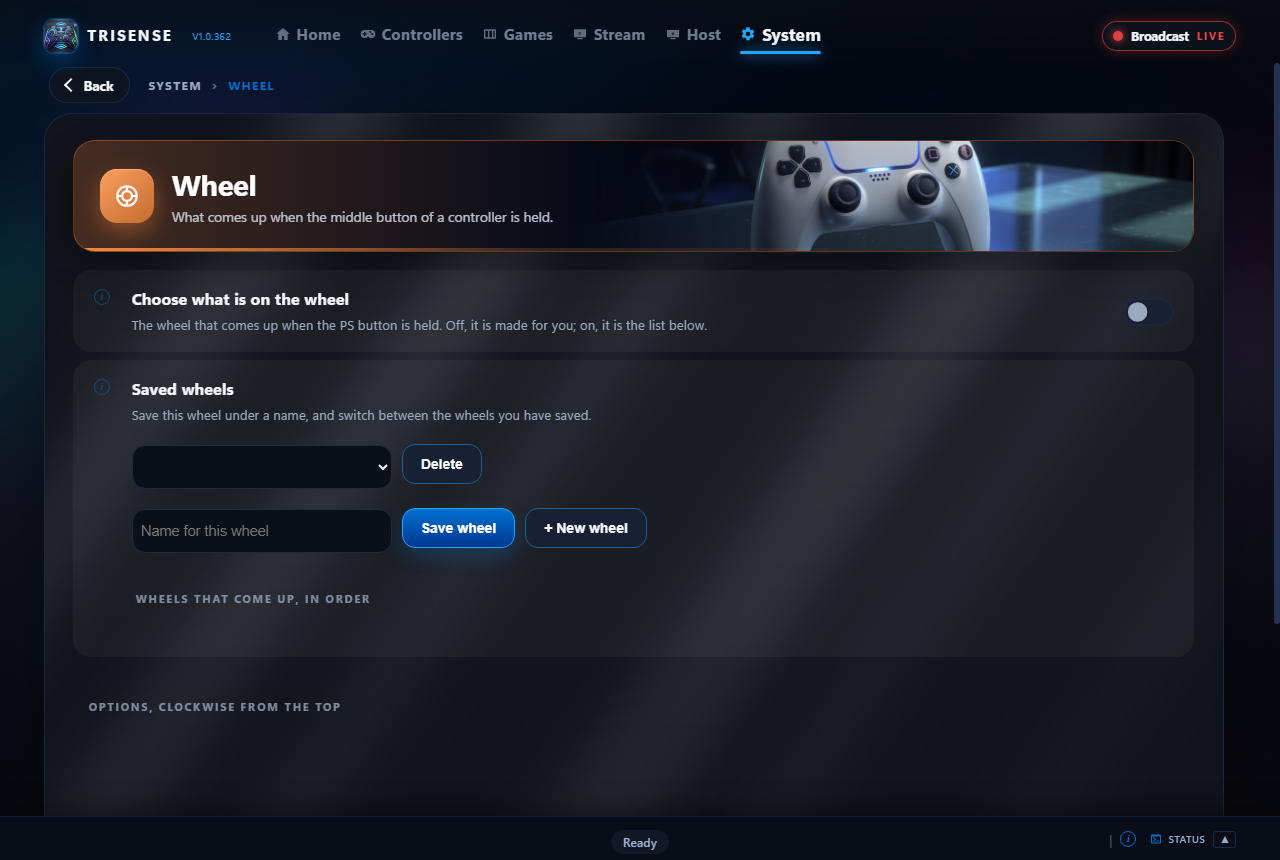
Hold one button. Eight shortcuts.
Hold the middle button and a wheel comes up in the middle of the screen, with every shortcut that controller has listed beside it. Point the stick, press, done.
- Anything a chord can do can be on a wheel: keys, Windows shortcuts, programs, TridentSense's own tools
- Keep several wheels and go between them with L1 and R1
- Comes with Couch Rescue (keyboard, mouse, switch window, Task Manager) and Handy Extras (screenshot, record, paste history, media)
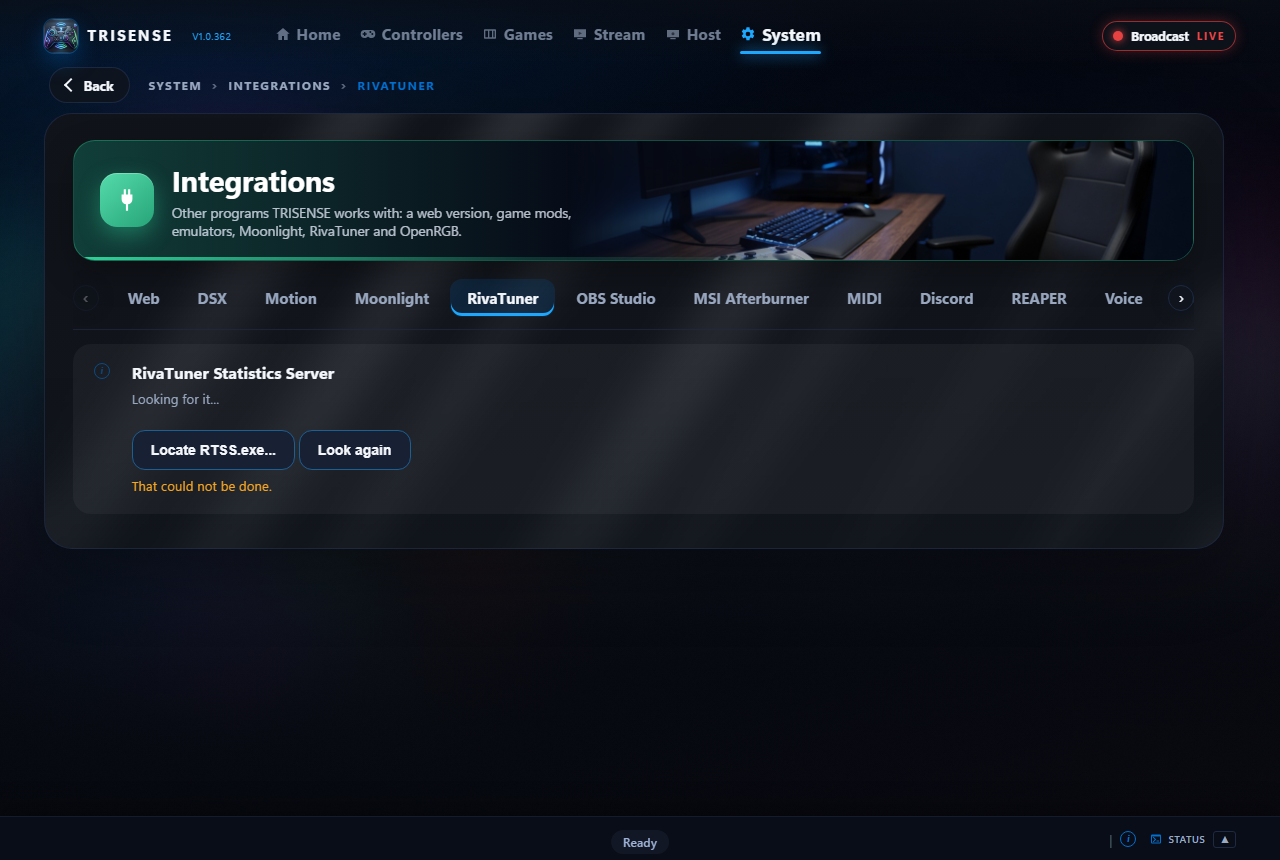
Frame rate, lows and limits, from the controller.
If you use RivaTuner Statistics Server, TridentSense drives it for you: no hotkeys to remember and nothing to set up by hand.
- Four overlays in TridentSense's colours: Full, Compact, FPS and Benchmark
- An overlay builder of your own: what each shows, in what order, in one column, two or a strip, in your colours, font and size
- Frame rate, frame time, average, 1% and 0.1% lows; usage, temperature, power, clock and memory for the graphics card and processor; every core as a bar
- Overlay on or off, a frame limit of 30 to 144, and recording frame rates, each from a chord or the wheel
Every hint in your controller's own words.
Cross, A or B: the same button, three names. TridentSense works out which controller is in your hands, even when it is set to appear to games as a different one, and writes every hint, legend and shortcut for it. Pick up another controller and they change to match.
- Hold the middle button for a moment and the wheel comes up, with every shortcut that controller has listed beside it
- A legend along the foot of the games overlay that follows where you are
- The on-screen keyboard and the games overlay's help use the same names
And there is more.
Playground
Two built-in mini games, a target range and a driving game, that use haptics, triggers, lights and sound the way a real game does. Feel every setting without leaving TridentSense.
Touchpad as a mouse
Move the Windows pointer with the controller's touchpad. Browse, pick a game and launch it from the sofa.
Gyro aiming
Aim by moving the controller. Works in games that have no gyro support of their own.
PC sound on every controller
Whatever the PC is playing, heard on all your controllers at once, while your normal speakers carry on as before.
Talk controller to controller
Play one controller's microphone through all the others. No headset software, no voice app.
Raw mode
For a DualSense on a cable: games drive its rumble, triggers and lights exactly as they would plugged straight in, while remapping and profiles keep working.
HD Rumble for Switch controllers
Joy-Cons and the Switch Pro Controller get their own Haptics section: a game's detailed vibration and the PC's sound are turned into HD Rumble.
Rescue a worn stick
Deadzones go up to 90%, with the travel that is left stretched to the full range, so a badly drifting stick can still be played with.
Notifications over your game
Controller connected, battery low, a setting changed by a chord: said in a small box over the game on the PC you are playing on, never stealing focus.
Shortcut sheet
Forgotten a chord? Hold the middle button on its own and every shortcut that controller has is listed, in its own button names. It stays until you press back.
Themes, and your own
Nine themes come with TridentSense, and a builder makes more. The overlay, the wheel and the keyboard follow the one you choose.
Sized for your screen
A handheld, a monitor, a 4K television across the room: TridentSense draws itself to suit the desktop it is on, or at the size you pick.
Launch and close programs
Give a chord or a slot of the wheel a program to start or to close: a browser, a voice app, a streaming client.
Moonlight games
Games on another computer that Moonlight is paired with are listed with the rest, and open from a chord or the wheel.
TridentSense over your game
One chord brings TridentSense's own window down over the game, driven by the controller, and puts it away again.
Notifications you choose
Twelve kinds, from a weak Bluetooth signal to a game that has finished installing, each with a switch of its own.
A log you can read
Everything TridentSense does is written down by area: controller, sound, network, the games overlay, shortcuts. Show one area at a time, or copy it for support.
Mods that watch the game
Point at a health bar, an ammo counter or your character, and TridentSense turns what it sees into rumble, light bar colours and trigger feel. Nothing reads the game's memory: it only looks at the screen.
Every overlay on a chord
Steam, Game Bar, GeForce NOW, Luna, Ubisoft and the other launchers each have an overlay of their own. All of them are listed in one place, and each can be given a chord.
Xbox trigger rumble on a cable
The four motors of an Xbox controller, the triggers' own included, work over USB as well as Bluetooth.
Sticks and gyro, tuned your way
A deadzone and anti-deadzone for each axis, a response curve you draw with four points, and gyro aiming that only works while a button you choose is held.
Pair without the Settings app
Pair controllers, headsets and other devices from TridentSense, with the steps for each kind of controller shown beside the search.
How hot, how busy
Processor, graphics card and memory readings from HWiNFO, on a page of their own while you play.
No administrator prompts
TridentSense runs as you. The few jobs that need more, like hiding a controller from games, are done by its own Windows service.
Other controllers (experimental)
Controllers TridentSense has no reader of its own for can be read through SDL, so a generic gamepad still gets remapping and the rest. Off until you switch it on.
New in TridentSense.
Light bar effects
Breath, Rainbow, Breath rainbow, Strobe at the intensity you choose, or Battery level from green to red, through your own colours or round the rainbow, at the speed you set. Audio sync makes them keep time with what you hear.
The touchpad as buttons
Use the whole touchpad, or split it into halves and corners, and give each a press, a hold, a tap, a drag or a swipe in four directions, and two-finger pinch, zoom and rotate: any button, key, shortcut or action.
A better microphone
The controller's microphone with an equaliser, a compressor that evens out loud and quiet, and a noise suppressor that keeps the fan and the room out of your chat.
Try it before you install it
TridentSense's own controller page runs in your browser: plug in a controller and feel the triggers, light bar and rumble on this site. Try it now.
Bring whatever you have.
Mix and match. Each controller is remembered by what it is, so its settings are there every time you connect it.
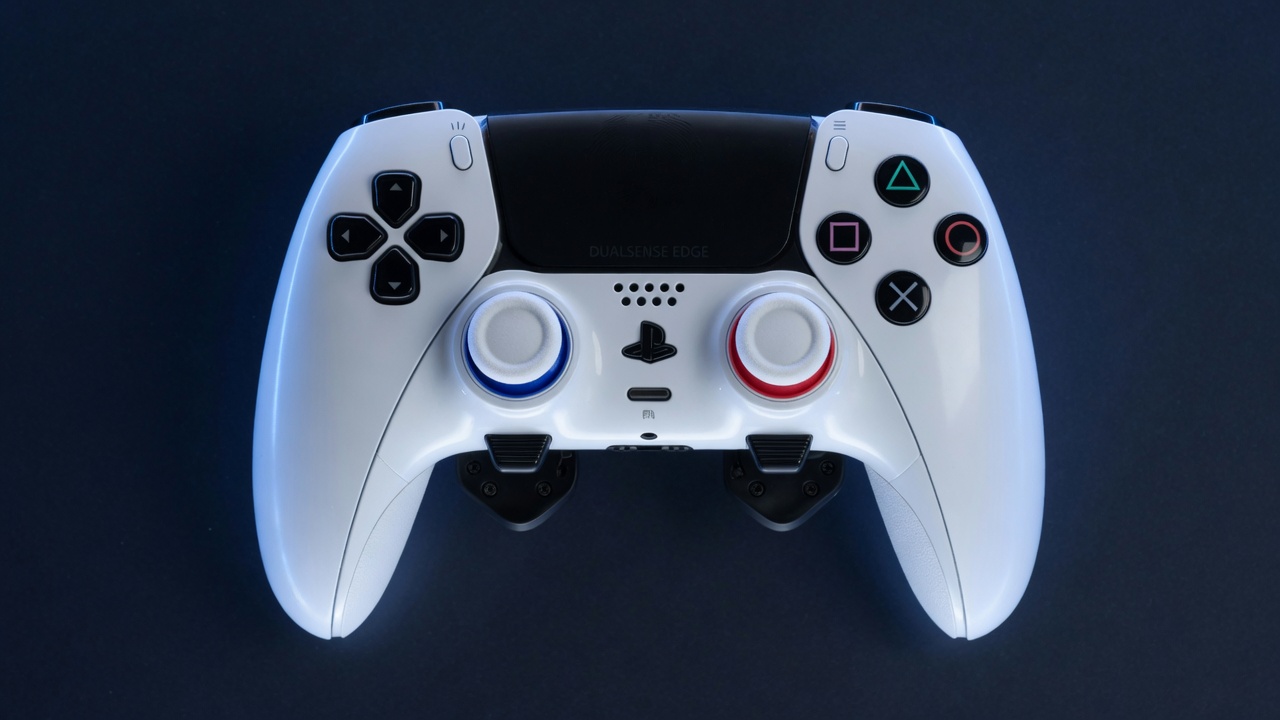 DualSense and DualSense EdgeBluetooth or USB. The full feature set.
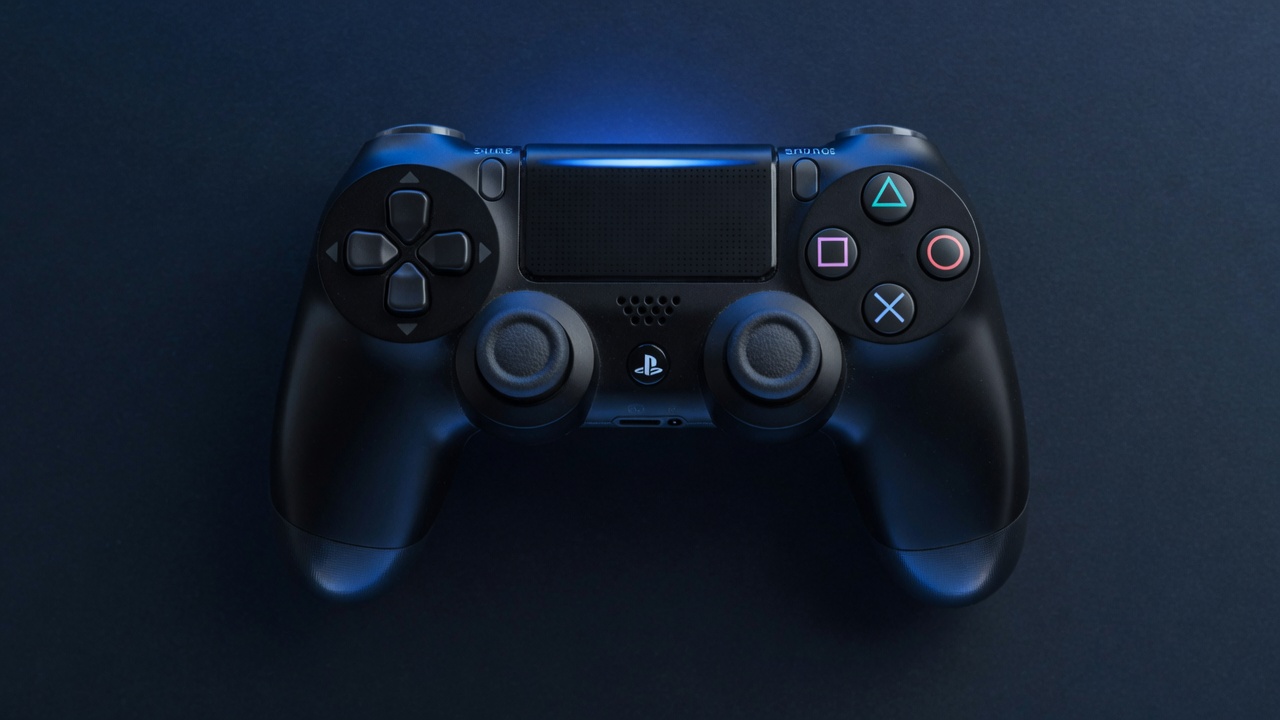 DualShock 4Bluetooth or USB. Speaker, light bar, touchpad, gyro.
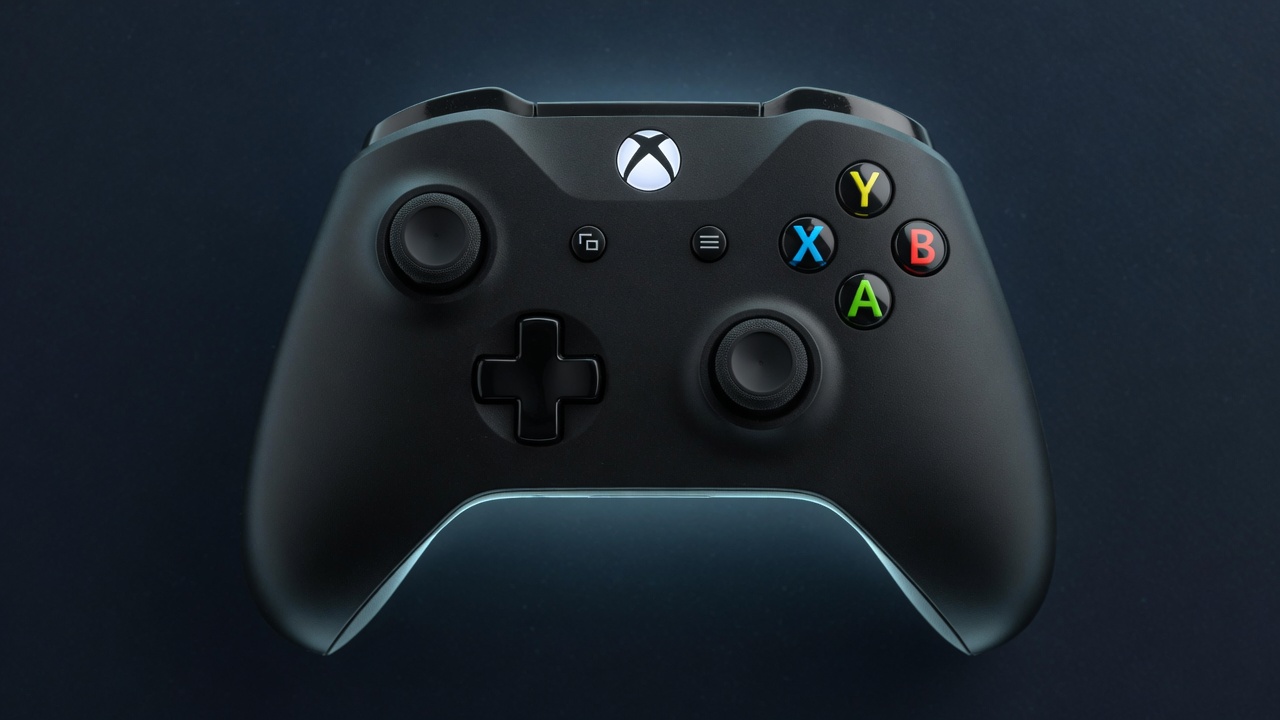 Xbox controllersXbox One, Series and Elite, and Xbox 360-style controllers.
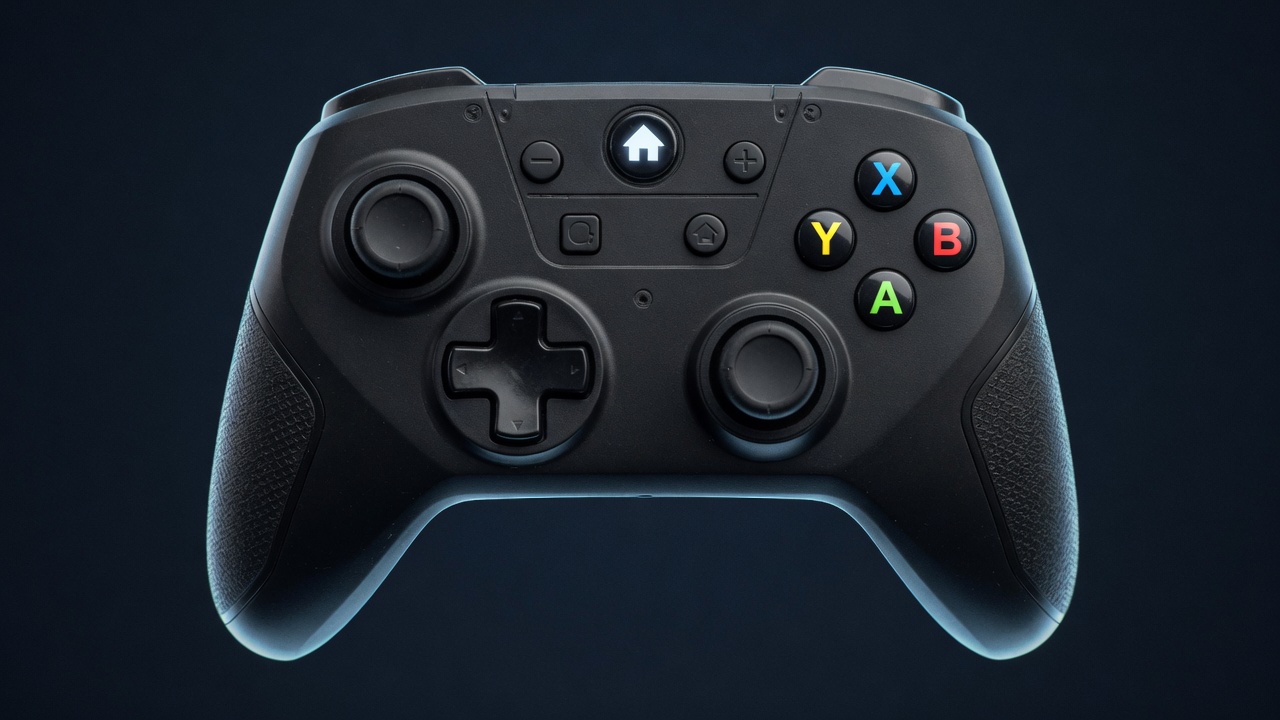 Switch Pro and Joy-ConsUse a pair of Joy-Cons as one controller.
And a controller paired to your phone or TV can be lent to a PC over your network. Other gamepads can be read through SDL with Other controllers (experimental), switched on under System.
Feel it for yourself.
Try TridentSense's controller page in your browser with your own controller, free, with nothing to install.
Try it now Read the documentation